
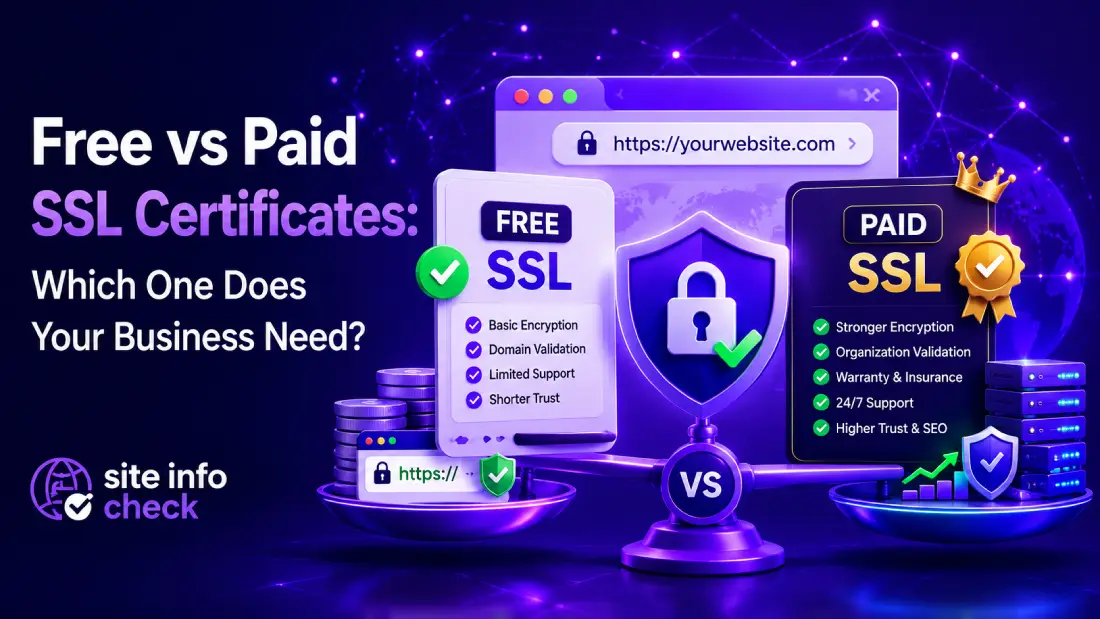
We can all agree that SSL Certificates are the base line of web security. If not, what is the point of creating a secure platform when entire connection is not only visible, but anyone can manipulate it? When It comes to setting up SSL (it’s also called TLS nowadays), we have a decision to make, whether we get a free or a paid certificate. This depends on many things which will be addressed in this article.
SSL certificates are no longer optional. Whether you run a startup landing page, an enterprise SaaS platform, or an eCommerce website, HTTPS has become a baseline requirement for trust, SEO, browser compatibility, and cybersecurity.
Yet many business owners and IT teams still ask the same question:
Should we use a free SSL certificate like Let’s Encrypt, or pay for a commercial SSL provider such as DigiCert or Sectigo?
The answer depends entirely on your business model, compliance requirements, risk tolerance, and operational complexity.
In this guide, we’ll compare free vs paid SSL certificates in depth, including security differences, validation levels, warranty coverage, SEO implications, automation, support, and real-world business scenarios.
What Is an SSL Certificate?
An SSL/TLS certificate encrypts data transferred between a user’s browser and your web server. In other words, when you want to send some data to web server, you lock (not the most accurate word, I just want you to get an idea) that data, a lock that can only be opened by yourself or the server, because only you two have the keys, therefore no one can manipulate or see the actual transferred data. The connection is still visible, but attackers can’t do anything about it. It prevents attackers from intercepting sensitive information such as:
- Login credentials
- Payment data
- Personal information
- API traffic
- Session cookies
When SSL is correctly configured, visitors see:
- HTTPS in the URL
- A padlock icon
- Secure browser connections
Without SSL, modern browsers label websites as “Not Secure,” damaging user trust immediately. Also in some cases, if HSTS is enabled and SSL is not working properly, the browser won’t even let you open the website in the first place, even if you say you accept the risk.
Are Free SSL Certificates Secure?
Yes, technically, free SSL certificates provide the same core encryption strength as paid certificates. Logic is the same, core concept is the same, difference is elsewhere.
A free Let’s Encrypt certificate can use:
- 2048-bit RSA encryption
- SHA-256 signatures
- Modern TLS protocols
From a pure cryptographic standpoint, free SSL is not “weaker.”
This is one of the biggest misconceptions in the industry.
The real differences between free and paid SSL certificates are:
- Validation level
- Support
- Warranty protection
- Enterprise features
- Brand trust
- Compliance suitability
- Certificate management capabilities
What Is Let’s Encrypt?
entity[“organization”,“Let’s Encrypt”,“Free automated certificate authority”] is the world’s most popular free certificate authority (CA). If you click on the padlock icon in your browser’s address bar and find SSL information, you will likely see Let’s Encrypt name for a lot of websites you use on daily bases.
It provides automated domain-validated (DV) SSL certificates at no cost. DV is like a proof or evidence that tells user that owner of this domain can receive emails (the email associated to the domain) and modify website’s files. It means domain and its owner are legit.
Advantages include:
- Completely free
- Automated renewal
- Widely supported
- Easy integration with cPanel, NGINX, Apache, and Cloudflare
- Excellent for startups and small websites
Many hosting providers now enable Let’s Encrypt by default. If you buy a dedicated VPS and want to setup your own website, you have to take care of it yourself and then introduce SSL files to your webserver so it knows where to find and use them for your website.
What Are Paid SSL Certificates?
Paid SSL certificates are commercial certificates issued by providers such as:
- entity[“company”,“DigiCert”,“SSL certificate provider”]
- entity[“company”,“Sectigo”,“SSL certificate provider”]
- entity[“company”,“GlobalSign”,“SSL certificate provider”]
- entity[“company”,“GoDaddy”,“SSL certificate provider”]
For most small businesses, it will not make much difference which of these issuers you use. DigiCert and GoDaddy are highly trusted by huge corporations, they offer Insurance, API automation, better customer support and various price plans that others can’t offer.
These providers offer additional features beyond basic encryption, including:
- Organization Validation (OV)
- Extended Validation (EV)
- Warranty coverage
- Enterprise lifecycle management
- Dedicated support
- Multi-domain certificates
- Wildcard certificates
- Compliance-oriented documentation
Free vs Paid SSL: Core Differences
| Feature | Free SSL (Let’s Encrypt) | Paid SSL |
| Encryption Strength | Strong | Strong |
| Cost | Free | $10–$1000+/year |
| Validation Type | DV only | DV / OV / EV |
| Warranty | None | Often included |
| Customer Support | Community-based | Dedicated support |
| Enterprise Features | Limited | Advanced |
| Compliance Support | Basic | Better suited |
| Brand Trust Signals | Minimal | Higher |
| Automation | Excellent | Depends on provider |
| Best For | Blogs, startups, small sites | Enterprises, eCommerce, regulated industries |
Understanding SSL Validation Levels
One major distinction between free and paid SSL certificates is validation level.
Domain Validation (DV)
Domain Validation system solves one major issue which is “Does the domain owner, have administrative power or control over domain.com”. It binds a cryptographic key paid to a domain so we know who is the true owner without human validation.
According to RFC 8555, there are these three methods that are used for domain validation (remember these methods are only used to prove domain control, nothing more):
- HTTP-01
- DNS-01
- TLS-ALPN-01
DV certificates only verify domain ownership. It is one of those differences between free and paid certificates, let’s see Let’s Encrypt side for example.
This is what Let’s Encrypt provides.
Good for:
- Blogs
- Portfolio websites
- SaaS MVPs
- Startup landing pages
- Internal tools
Limitations:
- No business identity verification
- Lower trust for high-value transactions
Organization Validation (OV)
DV simply says that “you control this domain”, but OV, says something more legitimate. It says “a real-world organization is in control of this domain”.
OV certificates validate:
- Domain ownership
- Business legitimacy
- Organization identity
These are commonly used by:
- Medium businesses
- Corporate websites
- B2B portals
They provide stronger organizational trust than DV certificates.
Extended Validation (EV)
EV certificates require strict verification procedures. EV was designed to be the highest trust level for websites. EV proves that “a legally verified, actual physically existing personal (or company) and an active organization is in control of this domain”.
Historically, EV certificates displayed the company name prominently in browsers, although modern browser UI has reduced visual emphasis.
EV SSL is commonly used by:
- Banks
- Financial institutions
- Healthcare organizations
- Government systems
- Large eCommerce brands
Does Google Prefer Paid SSL Certificates?
No.
Google has confirmed multiple times that HTTPS itself is a ranking signal, not the type of certificate you purchase.
A free Let’s Encrypt certificate provides the same SEO ranking advantage as an expensive commercial SSL certificate.
However, paid SSL may indirectly improve these factors that later on would have positive effect on your website’s SEO:
- User trust
- Conversion rates
- Enterprise credibility
- Compliance posture
Those factors can influence business performance, even if they do not directly affect rankings.
When Free SSL Is Enough
For many websites, free SSL is completely sufficient.
Use Free SSL If You Have:
- A blog
- Small business website
- Startup MVP
- Personal portfolio
- Marketing landing pages
- Low-risk SaaS applications
- Internal dashboards
- Development/staging environments
If your primary goal is:
- HTTPS encryption
- Browser trust
- SEO compatibility
Then Let’s Encrypt is usually enough. It will give you free 90 days domain validation, certificates are completely free of charge, easy configuration via full automation, open and trustworthy project and also built into most of web hosting control panels like cPanel and content delivery networks (CDN).
When Paid SSL Makes Sense
Paid SSL becomes valuable when your organization needs more than encryption alone. When you need a much higher level of user trust. It does not only come from SSL information, but it plays a great role in building that trust. In general, if your website handles sensitive actions, it might be a good idea to pay for your certificate to gain users trust.
Paid SSL Is Recommended For:
1. Large eCommerce Websites
If your website processes high transaction volumes, premium SSL can strengthen customer confidence and support compliance requirements.
2. Financial or Healthcare Platforms
Industries handling sensitive data often require:
- Identity validation
- Audit documentation
- Vendor accountability
- Dedicated support
3. Enterprise Infrastructure
Large organizations may need:
- Centralized certificate management
- Multi-domain deployment
- Certificate inventory monitoring
- Lifecycle automation
4. Regulatory Compliance
Some compliance frameworks expect stronger identity verification and operational controls. Because these frameworks are not only about mathematical lock, they are concerned with risk management. It actually the difference between encryption and trust.
Examples include:
- PCI DSS environments
- Government contractors
- Enterprise procurement systems
5. Businesses Requiring Vendor Support
If certificate expiration could impact revenue, paid support matters. This can also hurt small businesses. Most business owner are not that technical and they may not notice that their certificate has been expired which puts users at risk and lowers their trust in the website.
Commercial providers offer:
- Troubleshooting assistance
- Reissuance help
- Installation guidance
- Incident response support
The Hidden Risk of Free SSL
Free SSL itself is not insecure.
The real issue is operational management.
Many website outages occur because organizations forget certificate renewals.
Although Let’s Encrypt supports automation, businesses sometimes misconfigure renewal systems. It is not a daily job, but requires attention even though for Let’s Encrypt for example, first it will give you 90 days and after that, you should consider renewal, but many forget.
This can lead to:
- Browser security warnings
- Downtime
- API failures
- Revenue loss
- SEO issues
For enterprise environments, centralized management becomes critical.
SSL Certificate Cost Breakdown
SSL pricing varies significantly depending on validation level and features. Higher trust level you want, the more you should pay. As we discussed before, you probably guessed that EV SSL, is the most expensive one for most websites (not enterprises).
Typical ranges:
| SSL Type | Typical Cost |
| Free DV SSL | $0 |
| Basic Paid DV | $10–$100/year |
| OV SSL | $50–$300/year |
| EV SSL | $150–$1000+/year |
| Enterprise Solutions | Custom pricing |
Your business dictates what you need. The most expensive certificate is not automatically the best one.
Your business requirements should determine the investment level.
Best SSL Certificate Providers
Some of the most trusted commercial SSL providers include:
DigiCert
Known for enterprise-grade security and premium support.
Best for:
- Enterprises
- Financial institutions
- Large SaaS platforms
- Customer support
Sectigo
Offers affordable SSL solutions with broad compatibility.
Best for:
- SMBs (Server Message Block, it is a network protocol and mostly knows as Windows file sharing protocol)
- Agencies
- eCommerce websites
GlobalSign
Popular in enterprise PKI and identity management.
Best for:
- Corporate environments
- Large infrastructures
Let’s Encrypt
Still the dominant choice for automated free SSL deployment.
Best for:
- Startups
- Developers
- Small websites
Let’s Encrypt vs Paid SSL: Real Business Examples
Scenario 1: Startup SaaS MVP
A startup launching a beta SaaS platform with limited traffic likely does not need paid SSL. They just need to make sure that SSL is properly configured and connections are safe, that’s all.
Recommendation:
- Let’s Encrypt
- Automated renewal
- Cloudflare integration
Scenario 2: Local Business Website
A local business website primarily needs browser trust and HTTPS. Local businesses often emphasize the importance of SEO and they are not wrong. Getting a free certificate puts them on the right track to start building their SEO right away.
Recommendation:
- Free SSL is usually sufficient
Scenario 3: Enterprise Procurement Portal
A procurement platform handling contracts and vendor data may require stronger organizational validation. Like a bank for example.
Recommendation:
- OV or EV certificate
- Enterprise certificate management
Scenario 4: High-Revenue eCommerce Store
For businesses where downtime impacts revenue significantly, premium support and lifecycle management become valuable.
Recommendation:
- Commercial SSL provider
- Monitoring and renewal management
Common Misconceptions About Paid SSL
“Paid SSL improves SEO.”
False.
HTTPS matters for SEO, not the price of the certificate. Google just wants to know that your website is talking over HTTPS.
“Free SSL is unsafe.”
False.
Modern free SSL uses strong encryption standards and it’s pretty much the same across different issuers.
“EV SSL guarantees no hacking.”
False.
SSL only encrypts traffic. DV, EV or whatever you call them, their only job is to gain trust of the user on different levels, that’s it. They don’t guarantee anything. Surely we have seen many spam websites that had SSL enabled. SSL job is to make sure that connection is encrypted and only the two sides of sending and receiving it can read and change its details.
It does not protect against:
- Malware
- SQL injection
- Phishing
- Weak passwords
- Vulnerable plugins
SSL is only one layer of website security.
SSL Management Best Practices
Regardless of whether you choose free or paid SSL, follow these best practices:
Enable Auto Renewal
Never rely on manual renewals. For a small business, it’s not mandatory, but just know that updating SSL manually causes down time.
Monitor Certificate Expiration
Use monitoring tools to prevent outages.
Use Modern TLS Versions
Disable outdated protocols like TLS 1.0 and TLS 1.1.
Implement HSTS
HTTP Strict Transport Security helps enforce HTTPS connections. Although you should know if HSTS is enabled, browser will not let users to use the HTTP version of the website and users would completely be locked out, maybe it’s a good thing, you decide.
Regularly Test SSL Configuration
Check for:
- Weak ciphers
- Chain issues
- Expired certificates
- Mixed content problems (among these four checks, this is the most important one since the rest are rare cases nowadays.)
How to Decide: Free or Paid?
Ask these questions:
Choose Free SSL If:
- Budget matters
- You only need HTTPS encryption
- Your website is low-risk
- You can automate renewals
- You do not require organization validation
Choose Paid SSL If:
- Compliance matters
- You need business verification
- Downtime is costly, high uptime rate is critical
- Enterprise support is important
- You manage complex infrastructure
- Customer trust signals are critical
Final Verdict
For most modern websites, free SSL certificates are technically secure and perfectly acceptable.
In fact, millions of production websites successfully use Let’s Encrypt today.
However, paid SSL certificates still play an important role in enterprise environments where:
- Identity verification matters
- Compliance requirements exist
- Dedicated support is necessary
- Operational risk must be minimized
The right choice depends less on encryption quality, and more on your business requirements, operational maturity, and risk profile.
Before making a decision, evaluate:
- Your infrastructure complexity
- Compliance obligations
- Customer expectations
- Revenue impact of downtime
- Internal technical capabilities
There is no universal “best” SSL certificate.
There is only the best fit for your business.
Verify Your SSL Configuration
Not sure whether your current SSL setup is configured correctly?
Use our free SSL analysis tool to check:
- Certificate validity
- Expiration dates
- TLS configuration
- Security issues
- Chain problems
Verify your current SSL setup with our free SSL Checker.
Leave a Reply