Category: Uncategorized

  • What Is DNS and How Does It Work?

    What Is DNS and How Does It Work?

    Every time you visit a website or send an email, DNS works silently in the background making those connections possible. However, DNS is often misunderstood or overlooked by most users. DNS, or Domain Name System, translates human-readable domain names into IP addresses that computers use to identify each other on the network. Without DNS, users would need to remember complex numerical addresses for every website they visit, making the internet far less user-friendly and accessible.

    The goal of this article is to give you a clear mental model of DNS-without unnecessary complexity-in order to understand why DNS matters for website performance, reliability, security, and SEO.

    What Is DNS?

    The Domain Name System is also known as DNS.

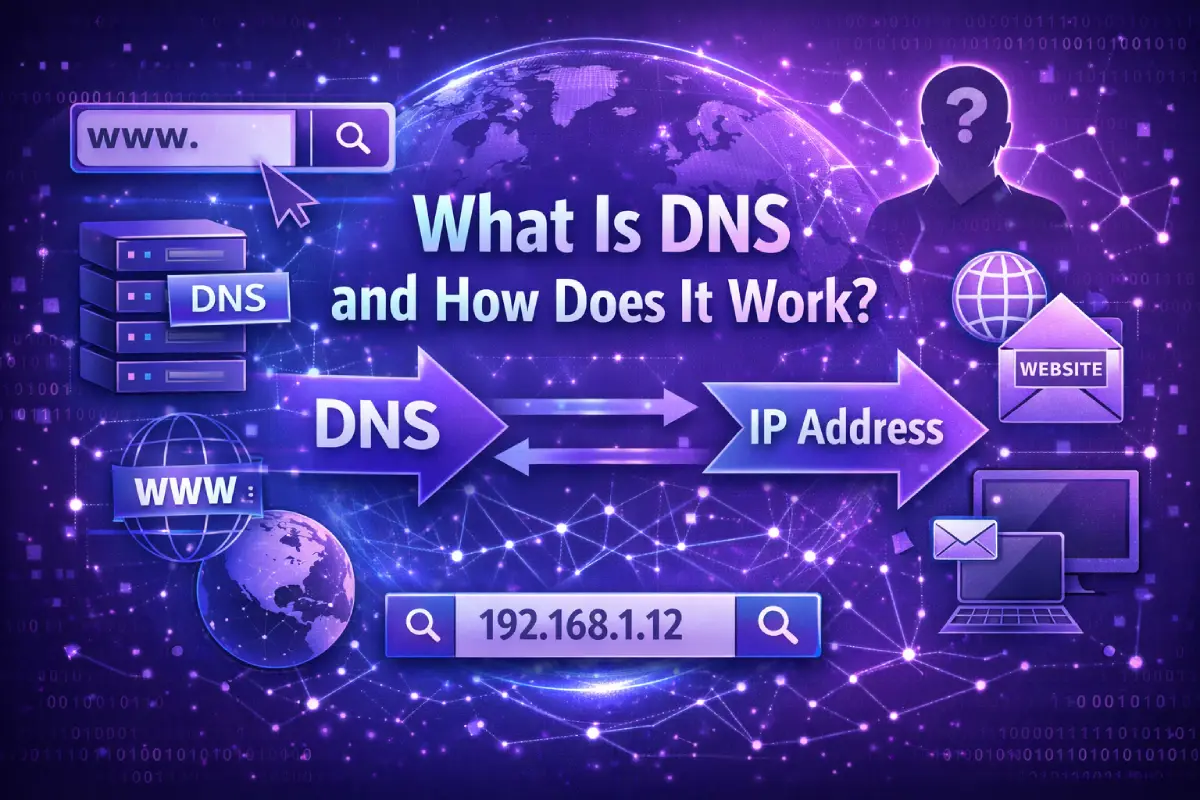
    In essence, DNS translates domain names (like example.com) into IP addresses (like 93.184.216.34) that computers and servers can understand.

    Names are remembered by humans.

    Numbers are used by machines to communicate.

    DNS serves as a bridge between the two.

    In the absence of DNS:

    • There was no way to access websites by domain name
    • Users would have to memorize numeric IP addresses
    • The reliability of email, cloud services, and APIs would be compromised

    DNS operates behind the scenes, so most users are only aware of it when something goes wrong.

    The importance of DNS for the Internet

    The DNS is more than just a convenience; it is a foundational layer of the internet. It directly impacts:

    Availability – If DNS fails, a website cannot be accessed

    • Performance – DNS resolution time affects page loading time
    • Security – DNS prevents redirections and spoofing attacks

    Scalability – DNS facilitates CDNs and global infrastructure

    Despite a healthy server, incorrect DNS configuration can cause a site to appear down.

    How Does DNS Work?

    As soon as you type a website address into your browser, DNS resolution takes place. This process determines which server your browser should connect to.

    DNS resolution follows this flow at a high level:

    1. Browsers first check to see if they already know the answer
    2. When it cannot find the correct IP address, it asks DNS servers for assistance
    3. Returns the IP address
    4. The browser connects to the server using that IP address

    In most cases, it takes milliseconds to complete this process.

    Step-by-Step DNS Resolution Process

    It is helpful to break down DNS into steps in order to understand it more clearly:

    1. Browser Cache

    In order to determine whether the domain has recently been resolved, the browser first checks its own cache.

    1. Operating System Cache

    When the browser cannot find the answer, the operating system checks its DNS cache.

    1. Recursive Resolver

    The request is sent to a recursive DNS resolver, typically provided by your ISP or a public DNS service, if there are no cached results.

    1. Root Name Servers

    A resolver asks a root name server where to find information about a domain’s top-level domain (TLD), such as .com or .org.

    1. TLD Name Servers

    Resolvers are directed to authoritative name servers by the TLD server.

    1. Authoritative Name Servers

    IP addresses are returned by these servers, which hold the DNS records.

    Finally, your browser can connect to the website once the resolver returns the IP address.

    DNS lookups or DNS check tools can be used to inspect this data flow.

    Common Types of DNS Records

    Different DNS record types serve different purposes. DNS does not store only one type of information.

    A and AAAA Records

    • Domains are mapped to IPv4 addresses by A records
    • Domains are mapped to IPv6 addresses using AAAA records

    Website accessibility relies on these records.

    CNAME Records

    Aliases are created by CNAME records, allowing one domain to point to another.

    In addition to subdomains, third-party services are commonly used with them.

    MX Records

    The MX (Mail Exchange) records specify where emails for a domain should be delivered.

    TXT Records

    A TXT record stores arbitrary text data and can be used for a variety of purposes, including:

    • Verification of domain names
    • The authentication of emails (SPF, DKIM, DMARC)
    • Policies relating to security


    NS Records

    NS (Name Server) records specify which servers are authoritative for a domain.

    Checking these records is often the first step in diagnosing DNS problems.

    Why DNS Matters for Website Performance and Security

    The DNS has a direct impact on how quickly and reliably a website is accessed by users.

    Performance

    • Slow DNS resolution increases time to first byte (TTFB)
    • Load times for international users are improved by global DNS infrastructure
    • In order to route users efficiently, CDNs rely on DNS


    Security

    • DNS helps protect domains from spoofing
    • A correctly configured network prevents traffic hijacking
    • The DNS records support email security standards

    In addition to directing traffic to secure destinations, DNS does not encrypt data.

    Common DNS Issues and Misconceptions

    Despite being common, DNS problems are often misunderstood.

    DNS Propagation

    DNS records are not updated instantly throughout the world when they are changed.

    Depending on the TTL setting, propagation can take minutes to hours.

    Cached DNS Data

    Inconsistent behavior may result from outdated records being cached by browsers, operating systems, and Internet service providers.

    DNS vs Hosting Issues

    Even if the server is running perfectly, a site may appear offline because of DNS misconfiguration.

    It is important to understand this distinction during troubleshooting in order to save time.

    How to Check DNS Records Properly

    The DNS records of a domain are essential for understanding how it is configured.

    With a DNS check, you can:

    • View the A, AAAA, CNAME, MX, TXT, and NS records
    • Verify which name servers are authoritative
    • Misconfigurations or outdated records can be detected
    • Verify that changes have been made after updates

    Site Info Check’s DNS Check feature presents this information in a clear, readable format that makes DNS data easier to understand for both technical and non-technical users.

    Clarity is the goal of such tools, not complexity.

    DNS and SEO: What You Should Know

    DNS does not directly affect SEO, but it indirectly does by:

    • Uptime of the website
    • The speed at which the page loads
    • Accessibility to crawlers
    • Targeting internationally (via geo-aware routing)

    A DNS failure can prevent search engines from accessing a site, affecting visibility.

    Conclusion

    In spite of the fact that DNS is one of the most fundamental systems of the internet, it remains invisible to most users until something goes wrong. DNS is responsible for the function of websites, email, and even online shopping.

    You can benefit from understanding how DNS works in the following ways:

    Diagnose website issues more quickly

    Improve infrastructure decisions

    Don’t fall victim to common misconceptions

    Ensure that DNS data is interpreted correctly

    With the right tools, one of the internet’s most critical layers can be transparent and provide insight rather than overwhelm. By understanding DNS, you can troubleshoot connectivity issues, make informed decisions about domain management, and protect against cyber threats like phishing. Additionally, it enables better collaboration with IT teams and ensures smoother online experiences for both users and businesses.

  • How to Check SSL Certificate Health Properly?

    How to Check SSL Certificate Health Properly?

    A padlock icon in the browser does not indicate that an SSL certificate is healthy. SSL security is a combination of several technical factors that must work together in harmony. It is possible for a certificate to exist, yet still have expired, be misconfigured, or use outdated encryption.

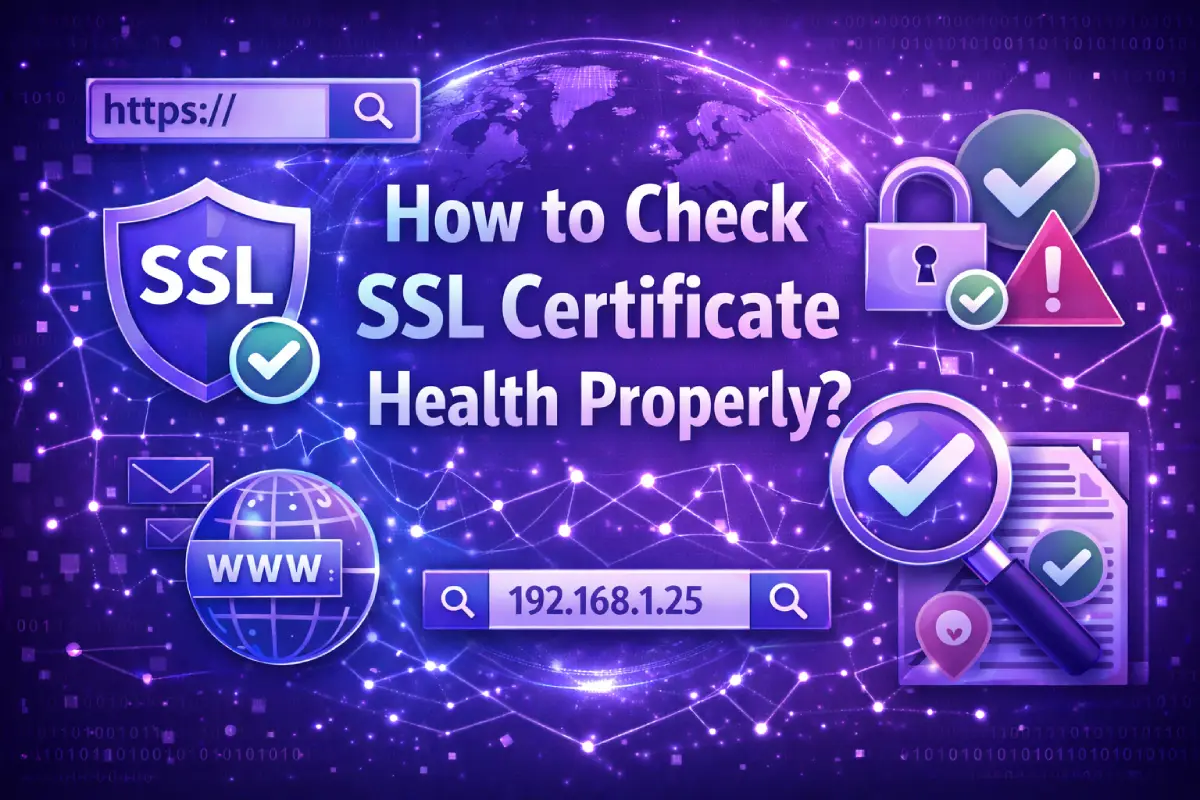
    The objective of this guide is to explain how to properly check SSL certificate health, focusing on four critical areas: Expiration, Certificate Chain, Protocols, and Cipher Suites. Understanding these elements helps prevent browser warnings, security risks, and trust problems.

    What Does “SSL Certificate Health” Mean?

    Health of SSL certificates refers to how well an SSL/TLS configuration is configured, valid, and protected. A healthy SSL configuration ensures that:

    • The certificate is valid and trustworthy
    • All trust chains are correctly installed
    • A modern, secure protocol is supported
    • A strong encryption system is used

    SSL health cannot be determined by checking merely whether HTTPS is enabled. A deeper look at SSL is required to determine its true state.

    SSL Certificate Expiration

    The most basic SSL problem, but a very common one, is certificate expiration.

    SSL certificates have a defined validity period. Once expired, browsers will display security warnings, and users may abandon the site immediately.

    Why expiration matters

    • The trust of users is broken when certificates expire
    • Access is blocked or warned by browsers
    • There may be a reduction in crawl frequency by search engines
    • Renewals can fail silently if they are automated

    In spite of auto-renewal systems, expiration dates should be monitored regularly. DNS updates, server changes, and misconfigurations can prevent renewals from occurring.

    Certificate Chain (Chain of Trust)

    Instead of relying on a single file, SSL certificates rely on a chain of trust. This chain includes:

    • Certificate for the server (leaf)
    • At least one intermediate certificate
    • Trusted root certificate authorities

    A certificate may be regarded as untrusted even if it has not expired if any part of this chain is missing or misconfigured.

    Common chain-related problems

    • Intermediate certificates are missing
    • The certificate order is incorrect
    • Use of outdated intermediate certificates

    Some browsers or devices are more susceptible to these issues than others, making it difficult to detect them without a proper SSL inspection.

    Supported Protocols

    There is no single version of SSL that is equally secure, as it has evolved into TLS (Transport Layer Security).

    Why protocols matter

    Modern browsers no longer support older protocols such as SSLv3, TLS 1.0, and TLS 1.1. A healthy SSL configuration should include:

    • A minimum of TLS 1.2 is recommended
    • TLS 1.3 (preferred when available)

    Even if a certificate is valid, supporting outdated protocols increases the risk of downgrade attacks and weak encryption.

    Compatibility with modern browsers is ensured through proper protocol configuration.

    Cipher Suites and Encryption Strength

    During a secure connection, cipher suites define how encryption, authentication, and data integrity are handled.

    It is important to note that not all cipher suites provide the same level of security. Weak or deprecated ciphers can expose encrypted traffic to potential attacks.

    Key considerations

    • Do not use weak or legacy cipher suites
    • Modern ciphers with forward secrecy are preferred
    • Compatibility with current browsers and devices is essential

    If cipher suites are not configured properly, a site may support modern protocols but still use weak encryption.

    How to Check SSL Certificate Health Properly

    In order to perform a proper SSL health check, all four components must be evaluated together:

    1. Certificate expiration – Is the certificate still valid?
    2. Chain – Has the full trust chain been installed correctly?
    3. Protocols – Does the server support secure TLS versions?
    4. Cipher Suites – Are strong encryption standards enforced?

    The purpose of comprehensive SSL inspection tools is to present all relevant data in one clear, easy-to-read report, rather than having to check these manually across multiple tools and browsers.

    Using tools like SSL Check on Site Info Check, users can review certificate details, protocol support, and encryption settings in a single view, identifying hidden issues that browser icons alone cannot reveal.

    Clarity is the goal of such checks, not complexity.

    What is the recommended frequency for checking SSL health?

    Regular SSL health checks are recommended.

    Before the expiration date of the certificate

    • After a server or hosting change
    • After updating DNS or CDN configurations
    • Periodically as part of a security maintenance program

    Regular checks reduce the risk of unexpected outages, warnings, or trust failures.

    Common Misconceptions About SSL Health

    • “Everything is fine if HTTPS works.”

    Strong security cannot be guaranteed by HTTPS alone.

    • “There will be no expiration issues with auto-renewal.”

    It is possible for automation to fail without warning.

    • “Everyone is affected by SSL issues equally.”

    Different browsers and devices may respond differently to the same configuration.

    By understanding these limitations, teams can respond proactively rather than reactively.

    Conclusion

    When it comes to SSL certificate health, you need to look farther than just the padlock icon. A secure SSL setup requires valid expiration dates, a complete trust chain, modern protocol support, and strong cipher suites.

    Technical teams and website owners can prevent security warnings, maintain user trust, and ensure consistent access across devices and browsers by regularly reviewing these elements. The purpose of SSL health checks is not to confirm SSL exists, but to ensure it works correctly.

  • What Information Can I Get From IP Only?

    What Information Can I Get From IP Only?

    When human beings look at the information concerning an IP address, they tend to have a simple question: What can an IP address actually tell someone about me?

    The IP tracking, privacy, and online identification have a lot of misconceptions. There are users who believe that an IP address discloses personal information and users who undervalue the specialized worth of the same.

    In this article, we fully describe what we can learn about an IP address only and what we cannot, also how tools such as the IP Info option of Site Info Check can provide us with this information in an open and privacy-minded manner.

    What Is an IP Address?

    An Internet Protocol or “IP” Address is a unique numerical identifier assigned to your Computer or Other Devices connected to the Internet for the purpose of establishing a communication link to other computers/devices on the Internet. Essentially, an IP Address tells the Internet where to send/Receive Data, which enables users on Different Devices (e.g., Computers, Smartphones, etc.) connected via a network (i.e., Internet) to communicate with One Another.

    There are two types of IP Addresses being used today:

    1) IPv4 Addressing System; This most widely utilised way of assigning IP addresses has an address format made up of four groups of numbers separated by periods.

    2) IPv6 Addressing system; Differences Between IPv4 & IPv6 Include: IPv6 Addressing systems use very Long hexadecimal values as opposed to simple number formats.

    ip4 vs ip6

    Note: An IP Address is a Network connection Identifier (NIC), rather than identifying an Individual User. An IP Address provides the Technical & Routing Information about a Network, but does not Connect You to Your Personal Identity.

    What Information Can Be Extracted From an IP?

    Using an IP address, you can access a variety of types of technical information and general location information (which is displayed by most IP lookup tools) that are often used in the areas of networking, security, analytics, and troubleshooting. The IP version (IPv4 or IPv6) allows network administrators and developers to determine if the IP address can be routed, how it will be routed, and what the requirements are for infrastructure (hardware and software).

    ISP and Organization

    The company that owns or manages the Internet Service Provider’s (ISP) IP range is a trusted source of information regarding any individual’s or business’s IP address.

    For example, an IP address could belong to an ISP, mobile provider, a hosting organization, or Google LLC (as a public DNS provider).

    The information derived from this relationship can help with:

    • [Network Diagnostic Information] / Network Diagnostics
    • Traffic Analysis
    • Identifying Hosting/Cloud Provider(s); and
    • Identifying Auto/Non-Residential Traffic.

    ASN (Autonomous System Number)

    The rest of the larger network to which the IP address is controlled is denoted by an ASN (Autonomous System Number). It is the autonomous systems that control the route of the internet traffic and are commonly handled by ISPs, cloud providers, or big organizations.

    ASN data is commonly used in:

    • Network monitoring
    • Security analysis
    • SEO and log analysis

    Docs affecting the infrastructure.

    The ASN can be used to know who is routing the traffic, which is also not simply the one providing end-user access.

    Reverse DNS and Hostname

    Reverse DNS lookup tries to reverse an IP address to appear as a hostname.

    When it can be, it can also give leads as to the purpose the IP is being used; whether it is a mail server, a DNS server, or just the infrastructure.

    The IP addresses do not contain reverse DNS records, and hostnames are mostly generic. They can, however, be useful when they are available to perform technical analysis and validation.


    Geographic Location (More or Less).

    The IP geolocation databases have the potential to approximate the overall physical location of an IP address. This usually includes:

    • Continent
    • Country
    • Region or state
    • City (in some cases)
    • Latitude and longitude syllables.
    • Timezone

    It is important to mention that this is only approximate location data and not exact. The coordinates are frequently an ISP, a routing or infrastructure switch, rather than an individual or address.


    Sample IP Lookup Result (Actual Sample)

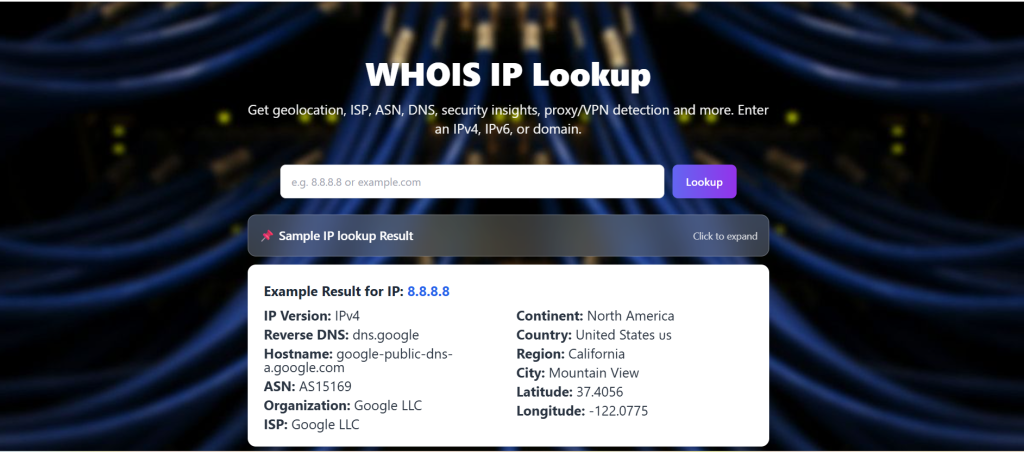
    The following is a sample of the display of IP information with the help of the IP Info tool under Site Info Check:

    Location: Ashburn, the US.

    Network Information

    • ISP: Google LLC
    • Company name: Google Public DNS.
    • ASN: AS15169 Google LLC (GOOGLE)
    • Reverse DNS: dns. google

    Location & Details

    • Region: Virginia
    • Timezone: America/New_York
    • Coordinates: 39.03, -77.5
    • Mobile: No

    Data of each field is technical or routing-related. No such details associate a particular user. Rather, it outlines the connection of the IP with the larger internet architecture.

    whois ip

    How Accurate Is IP Information?

    Many elements affect the accuracy of an IP address. These include:

    • How frequently the information is updated in the IP database (most databases are updated regularly, but not necessarily immediately)
    • The method by which the Internet Service Provider (ISP) routes IP addresses (for example, through centralised hubs, etc.)
    • The type of IP address (there are differences in how residential, mobile, corporate, and Data Centre IP addresses function)
    • The usage of VPNs and proxies to mask the IP address connection

    When evaluating the different levels of accuracy associated with IP addresses:

    • IP addresses are generally accurate at the country level
    • IP addresses are often accurate at the region and city, but not guaranteed to be so
    • IP addresses cannot provide an accurate location without additional context.


    Since IP address lookup services should not be used as a substitute for accurate geolocation services.

    What is Information that can not be obtained in an IP?

    This is among the crucial parts in terms of explicitness and credibility.

    An IP address cannot reveal:

    • A person’s name or identity
    • Precise home or office address.
    • Telephone numbers or e-mails.
    • Social media profiles
    • A device or account, or file access.

    IP addresses are not used as personal identifiers. It is wrong to make any arguments that an IP itself can reveal personal, intimate information.

    IP Info Use Cases on Site Info Check

    The Site Info Check, which includes an IP Info component, is not a tracking tool; it should be viewed as having both analytical and informational use cases.

    Multiple reasons to use the site include:

    1. Find out the source of web traffic
    2. Identify the ISP or hosting provider (or Cloud) where a site is hosted
    3. Facilitate the security review process and detect anomalies
    4. Assist SEO professionals in identifying errors in their log files or when doing log file analysis and crawling diagnostics
    5. Provides a record of the configuration of your network and server

    The information will be presented in a straightforward manner without overstating relevance and will provide sufficient context for limitations and privacy considerations.

    Conclusion

    An IP address yields techy and rough geographic location data—but not an actual person’s identity. An IP provides info about the Network (NIC) Provider and the geographic area it covers, but does not provide info on the Owner or user’s identity or location.

    Tools such as Site Info Check’s IP Info can help interpret and utilize IP information while maintaining user privacy and setting proper expectations. Users should understand what they can learn from an IP address while also knowing how to interpret that information in order to minimize unnecessary worry or confusion.